Importing GA4 Conversions into Google Ads: Step-by-Step Documentation
Step 1
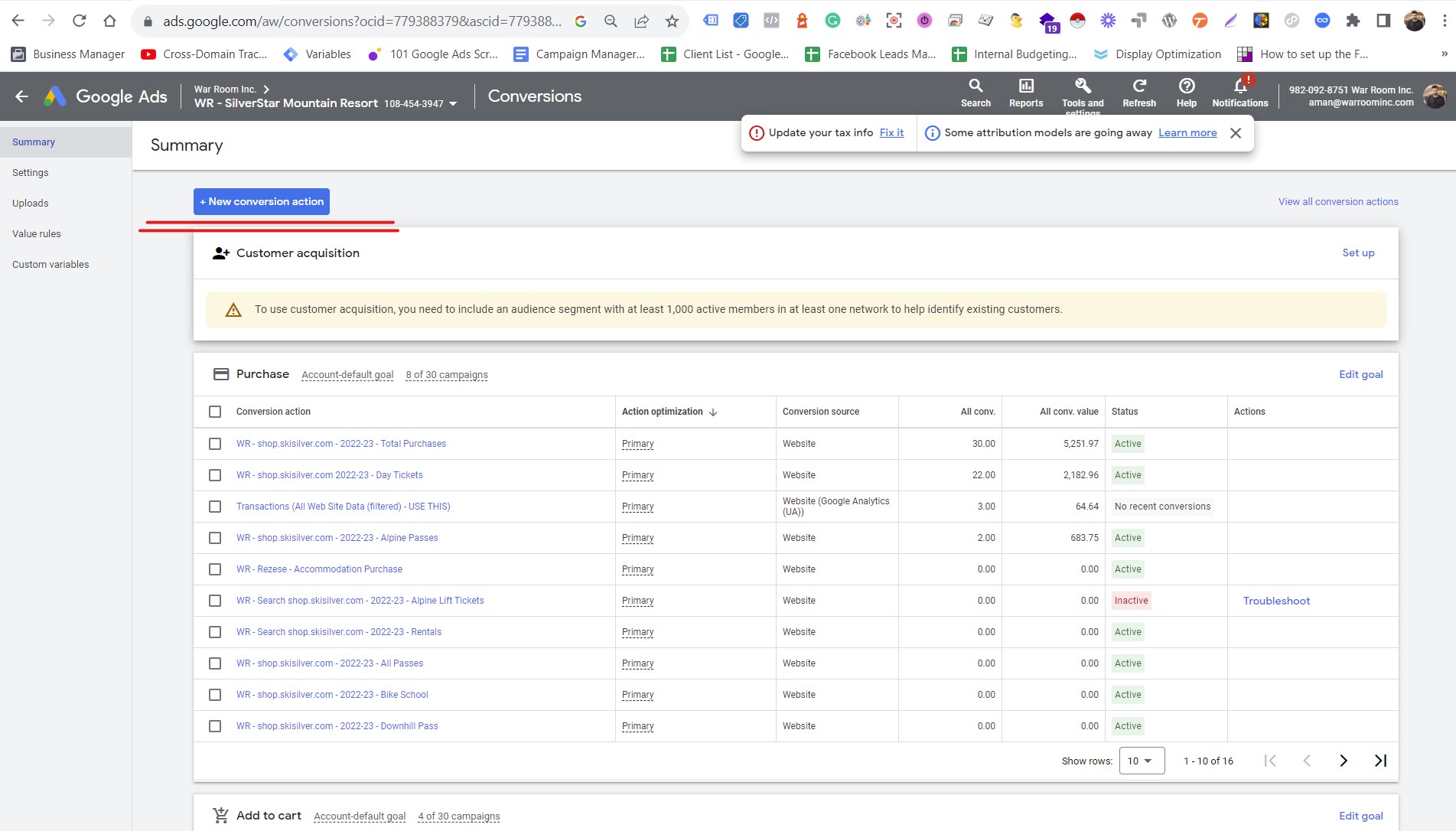
- In your Google Ads account, go to "Tools & Settings" and select "Conversions."
- Click the "+" button to create a new conversion action.
- Choose "Import" and select "Google Analytics."
- Select the linked GA4 property.
- Choose the events you want to import as conversions.
- Set the conversion value, count, and other options based on your requirements.
- Save your settings.
Step 2
- Allow some time for data to populate in both GA4 and Google Ads.
- In your Google Ads account, go to the "Conversions" page.
- Check the status of your imported conversions; they should show as "Recording conversions."
- Use the "Conversion" column in your campaign reports to track the performance of imported conversions.